
A matrix is what is used to create email versions using the wireframes and blocks that have been defined, along with rules that control inclusion of blocks:
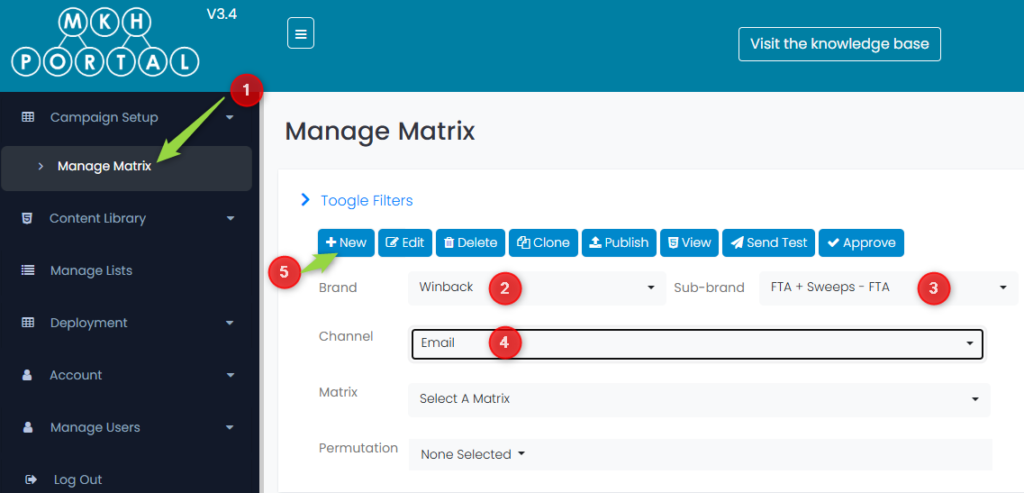
- Choose Manage Matrix from the menu
- Select the Brand (Winback in this case)
- Select the Sub-Brand (FTA + Sweeps in this case)
- Select the Channel (Email in this case)
- Click the +New button to create the matrix
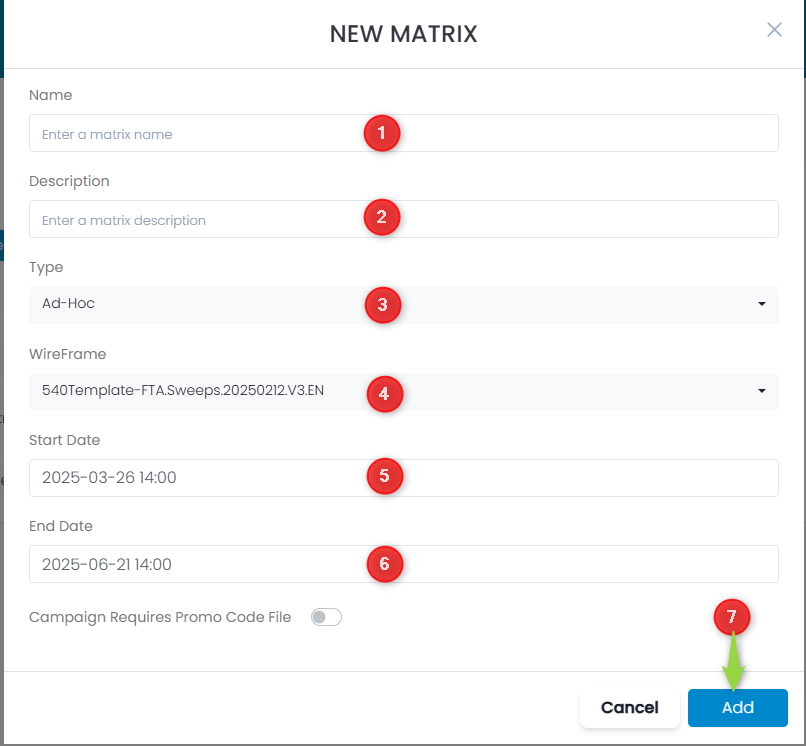
- Add a Name for the matrix
- Add a matrix Description
- Choose the Type (Ad-Hoc in this case)
- Select the WireFrame that you created earlier
- Choose a Start Date that is on or after the expected deployment date (this must be a FUTURE date, otherwise you will receive an error)
- Choose an End Date that is in the FUTURE and later than the start date
- Click the Add button
This is what you will see – it is a new matrix with a status of Not published, and there is no content available:
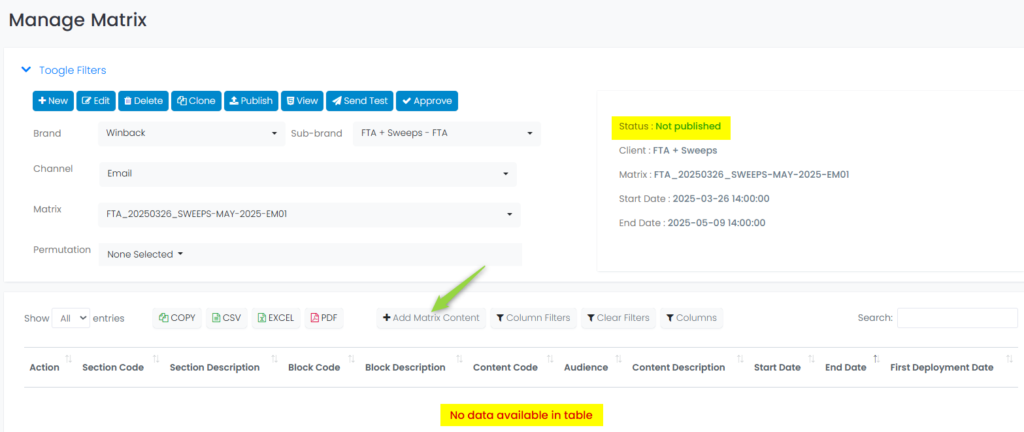
You click on the + Add Matrix Content button and see this screen:
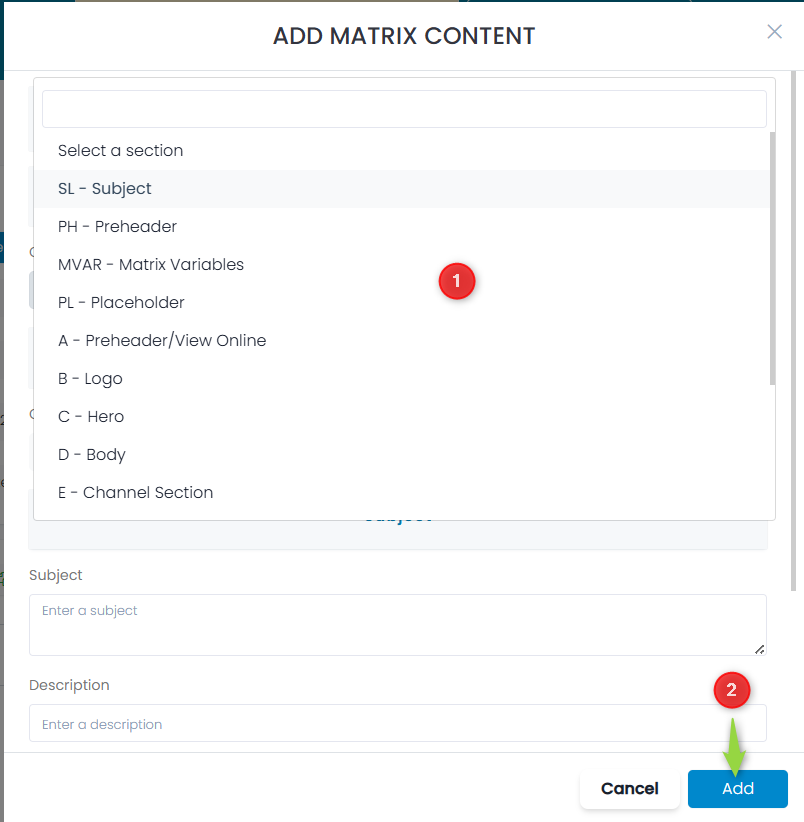
- Choose the section type from the list of pre-defined options
- Click the Add button
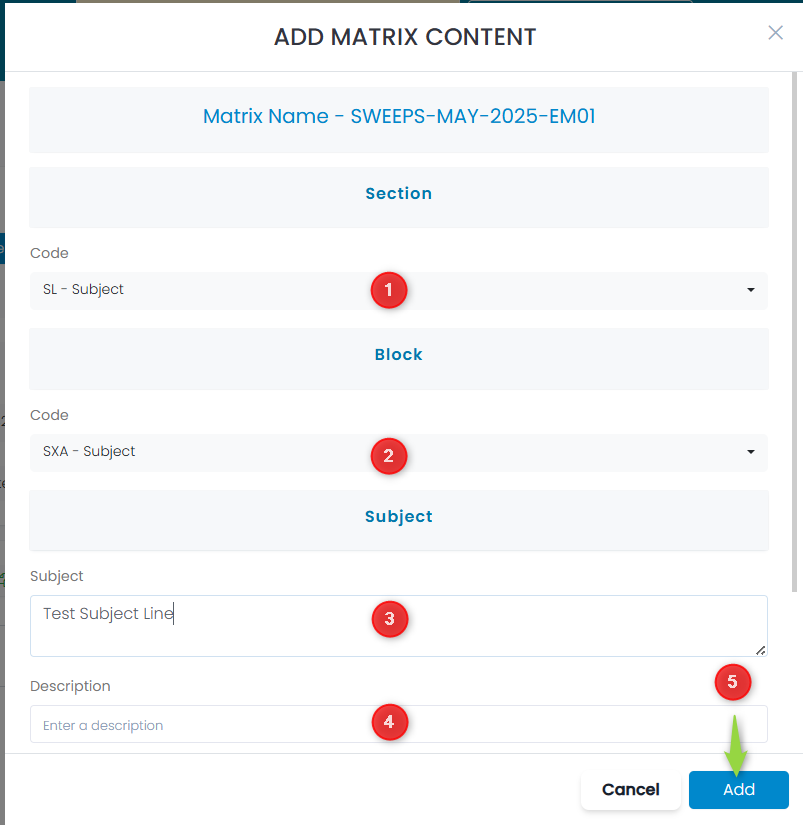
- In this case the SL – Subject block was selected
- Choose the code to be used for this – for subject lines it is SXA – Subject
- Enter the text for the Subject line
- Enter a Description
- Type a descriptor for the Audience – this can be anything to help you identify what this block is associated with
- Click the Add button