When you add a content block, it will appear in the list. You do do one of four actions on this content block:
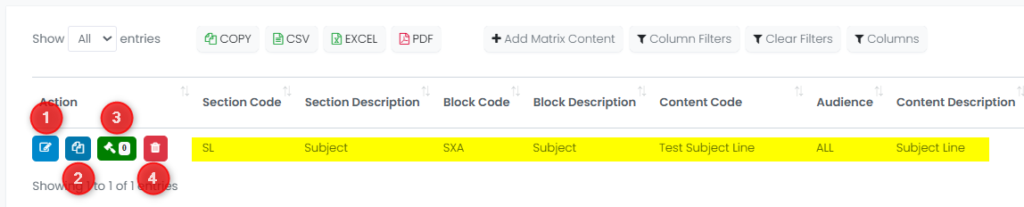
You have the following options with content blocks:
- Edit
- Copy
- Manage Rules
- Delete
When you click the Manage Rules button, you can enter logic for when the block will be used. Essentially you are defining what version(s) this block will be used in, like in this example:
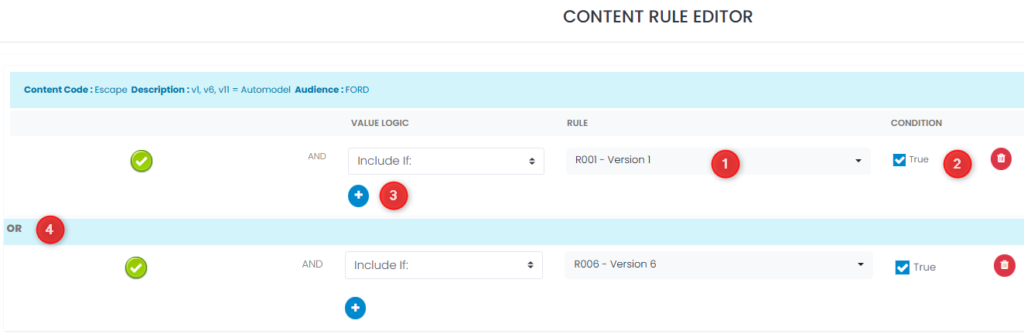
- Select the rule that applies (i.e. the version of email from 1 through 22)
- Select whether or not the block will be displayed for this version (true) or not (false)
- Add additional AND conditions for when this block will be displayed or not
- Add an OR condition and select the version that applies
- Add additional OR conditions for when this block will be displayed
- In this example, the Subject Line will be used in Version 1 OR Version 6 of the email.